
New Feature: October 21, 2026
Subject: **NEW** - Quite Hours
A New "Quite Hours" feature has been added to the Mobile Settings of every account. This optional feature provides account settings that prevent messages from sending during sensitive times. These are high recommended for TCPA compliance with State and Federal laws that prohibit messages from being sent during specific times.
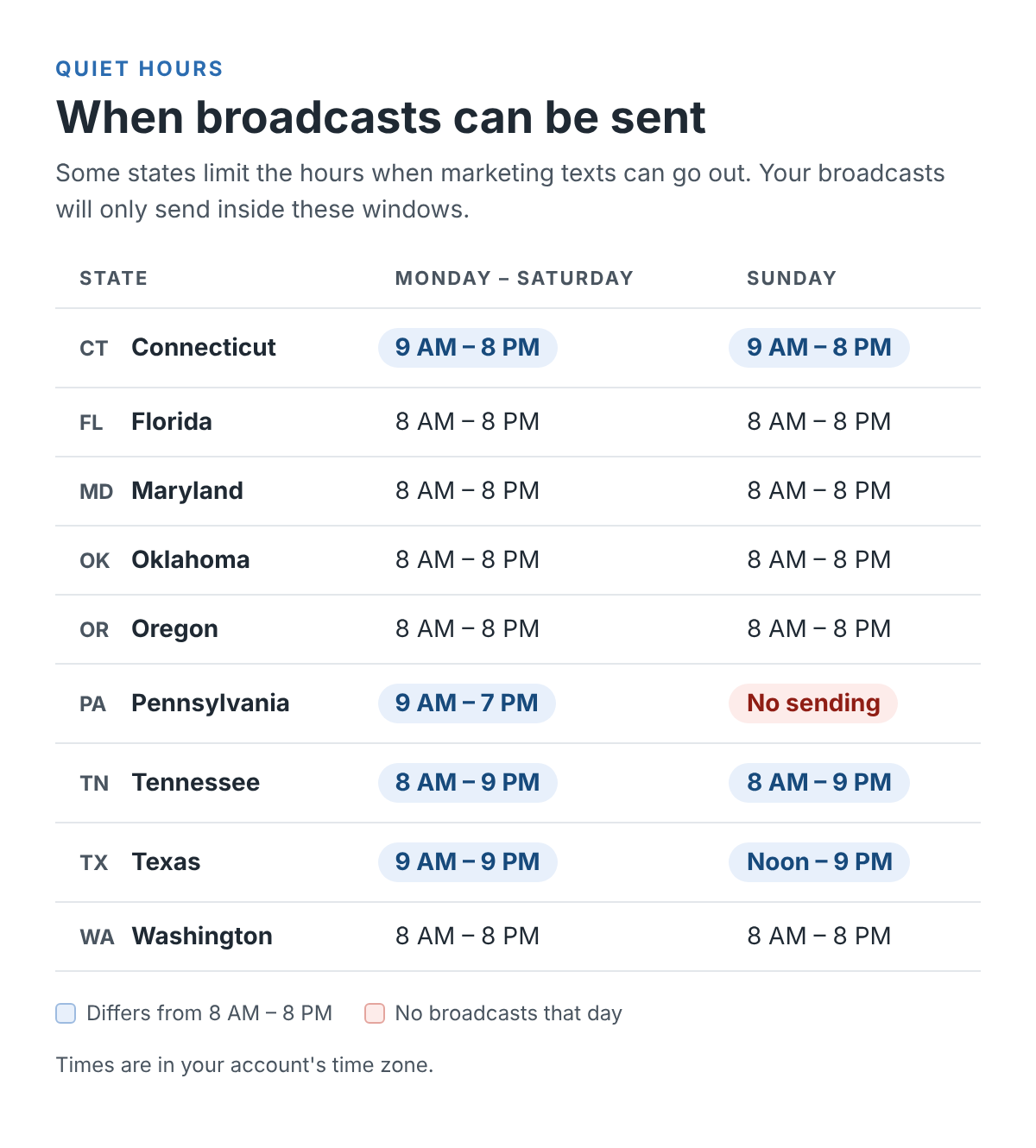
When activated for the first time, the system will automatically apply the pre-programmed quite hours specific to the state listed in the account's "Account Information" section.
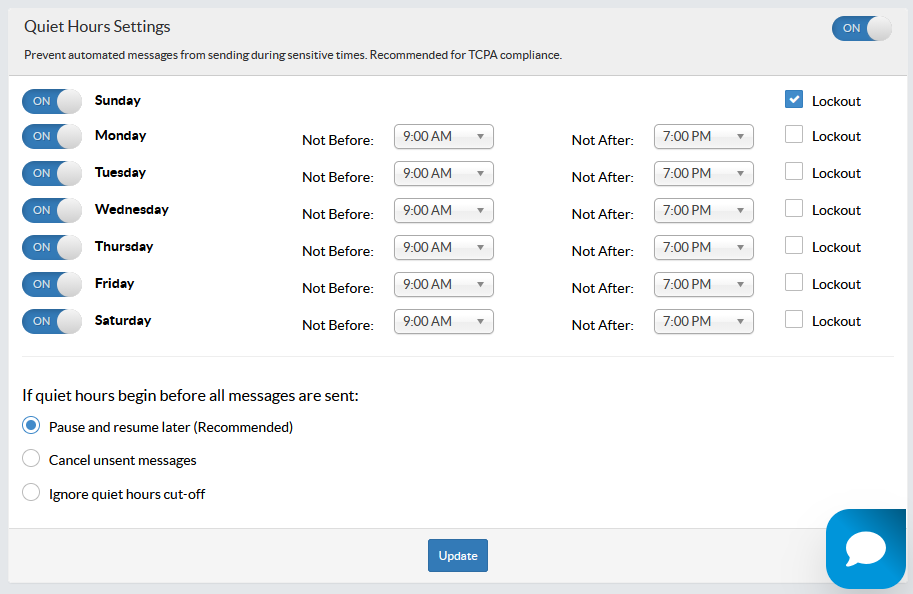
Mobile Settings -
Ex - No state level quite hours
Ex - State level quite hours (ex: Pennsylvania)
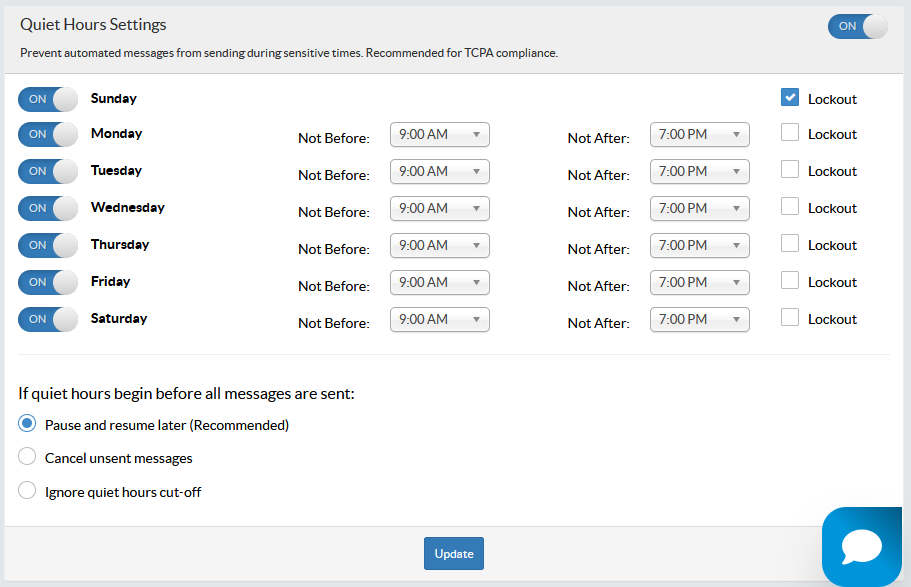
Lockout - Checkmark the Lockout option to disable messages from sending for a specific day.
Note - At least 1 day must be enabled for sending texts. This feature was not built to disable an account from sending all messages, and all days cannot be Lockedout.
If quiet hours begin before all messages are sent - Use these options to determine how the system should treat texts that did not send out before quiet hours go effect.
- Pause and resume later - The system will cease attempting to send messages once the Not After Time is reached. The messages that were ceased will restart sending once the next Start Time (aka Not Before) is reached.
- Cancel unsent messages - The system will cease attempting to send messages once the Not After Time is reached. All ceased messages will be cancelled.
- Ignore quiet hours cut-off - The system will ignore the quite hours and send all messages including texts that would send after the Not After Time is reached.
Scheduling Broadcasts -
When scheduling a broadcast, Quite Hour options are presented, allowing the sender to determine what should occur with the text if delays are encountered during the send process that could result in texts sending during quite hours.
Broadcasts to be sent on days that are Lockedout, do not provide date and time options. All other days will present a hyperlink to the quite hours settings and message handling options:
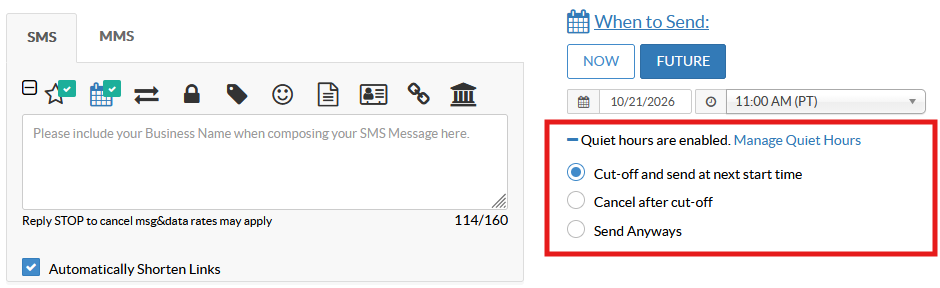
- Cut-Off and Send at next start time - The system will cease attempting to send messages once the Not After Time is reached. The messages that were ceased will restart sending once the next Start Time (aka Not Before) is reached.
- Cancel after cut-off - The system will cease attempting to send messages once the Not After Time is reached. All ceased messages will be cancelled.
- Send Always - The system will ignore the quite hours and send all messages including texts that would send after the Not After Time is reached.
Mobile Campaign Interactive Messages with TIME DELAYS -
When creating interactives with Time Delays, the same Quite Hours options are presented.
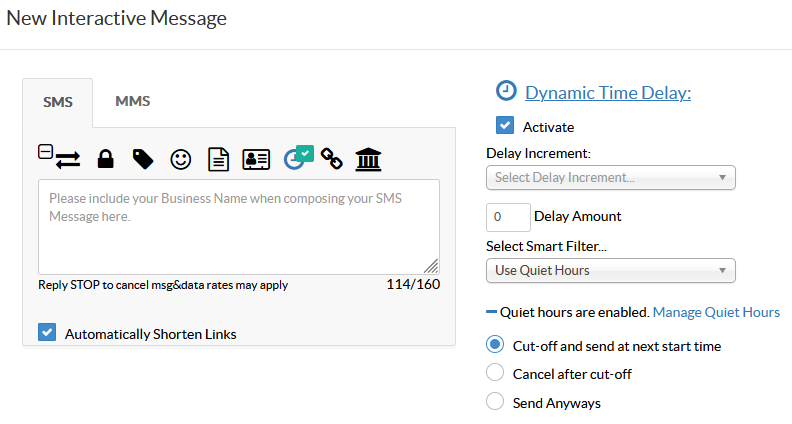
- Cut-Off and Send at next start time - The system will cease attempting to send messages once the Not After Time is reached. The messages that were ceased will restart sending once the next Start Time (aka Not Before) is reached.
- Cancel after cut-off - The system will cease attempting to send messages once the Not After Time is reached. All ceased messages will be cancelled.
- Send Always - The system will ignore the quite hours and send all messages including texts that would send after the Not After Time is reached.